
How the Shapes in the Studio Work
 By Fernando Santos
In the Design Studio's Blank Canvas you paint a flat cardigan: two fronts, a back, two sleeves. Shapes are the fast way to block in colour. Drag one onto the cardigan and it divides that area like painter's tape: the shape wears its own colour, the paint around it stays, and if you remove the shape the paint underneath comes straight back. This is what each shape does, how to move and remove them, and what the stitches you sew on afterwards are.
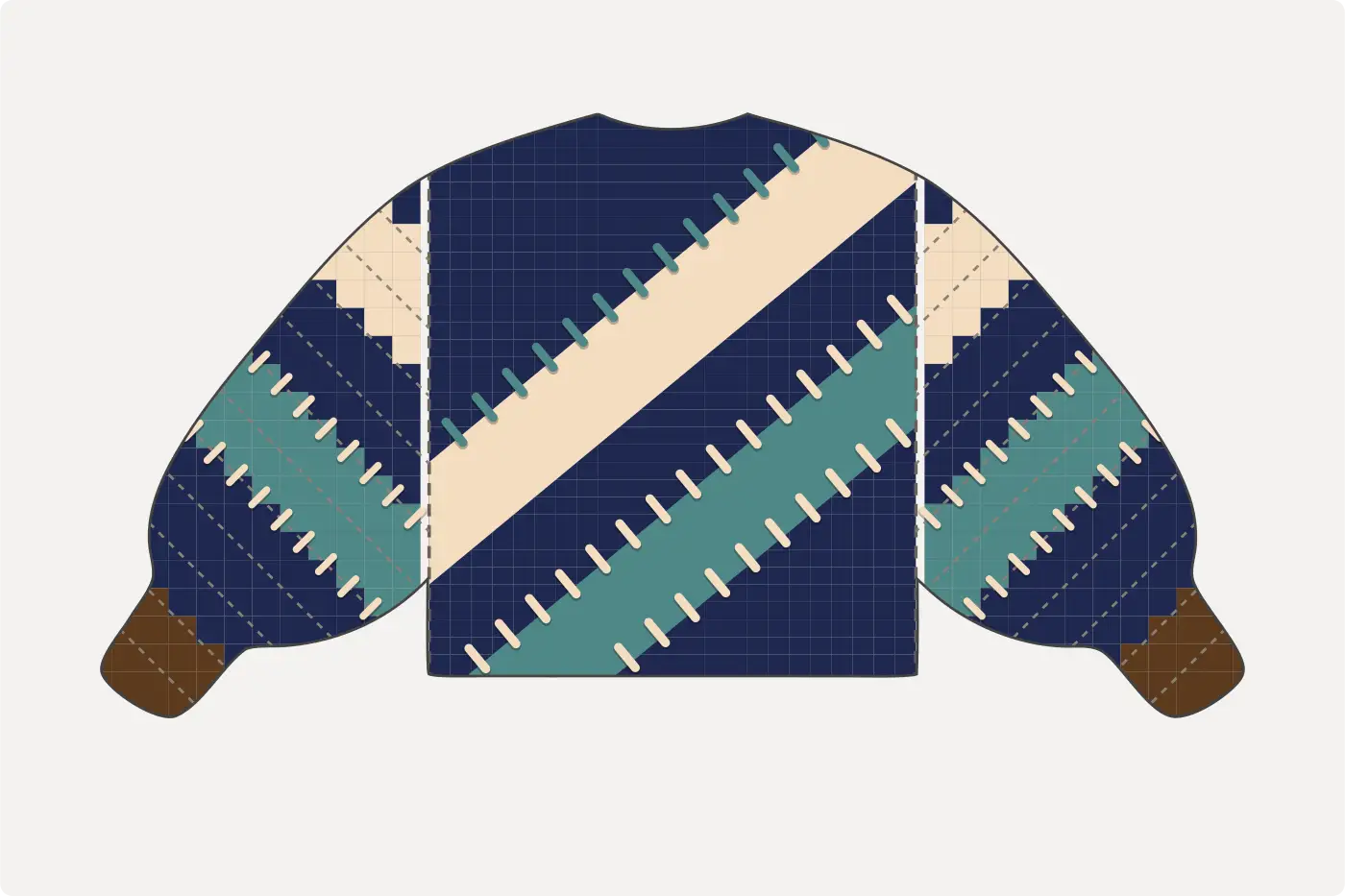
One rule before the shapes
Every shape lands as real stitches. On the sketch a shape is drawn clean, so you can judge the design. On the chart, and on the cardigan, a diagonal is a staircase, because wool can only step one stitch at a time. We never smooth that away: what the sketch promises, the needles can knit. The steps are spread evenly, so a diagonal looks stepped, never jagged, and every size gets its own honest staircase.
The eight shapes
Square
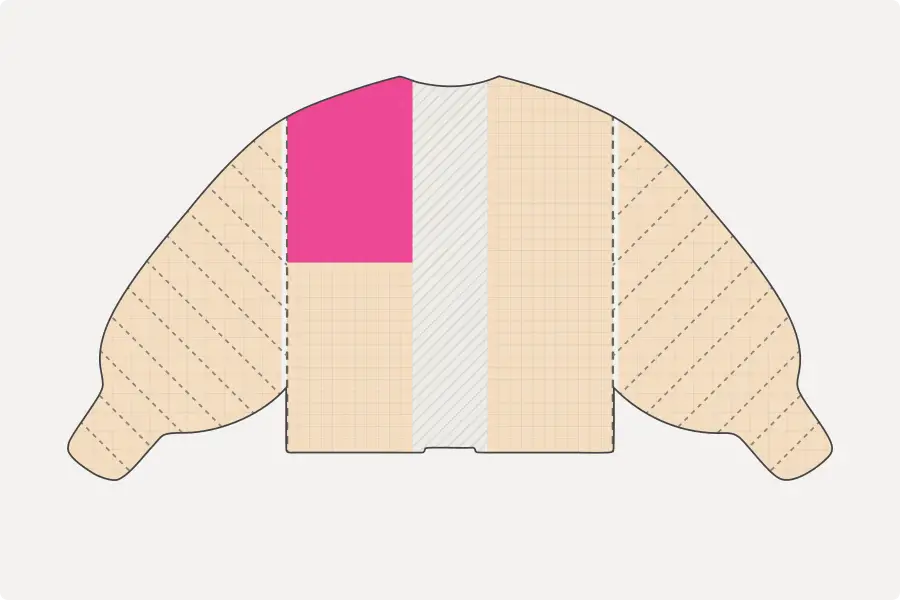
Half a panel: the top or the bottom of a front, or of the back. The simplest colour block there is. Two squares in two colours make a two-tone front.
Rect
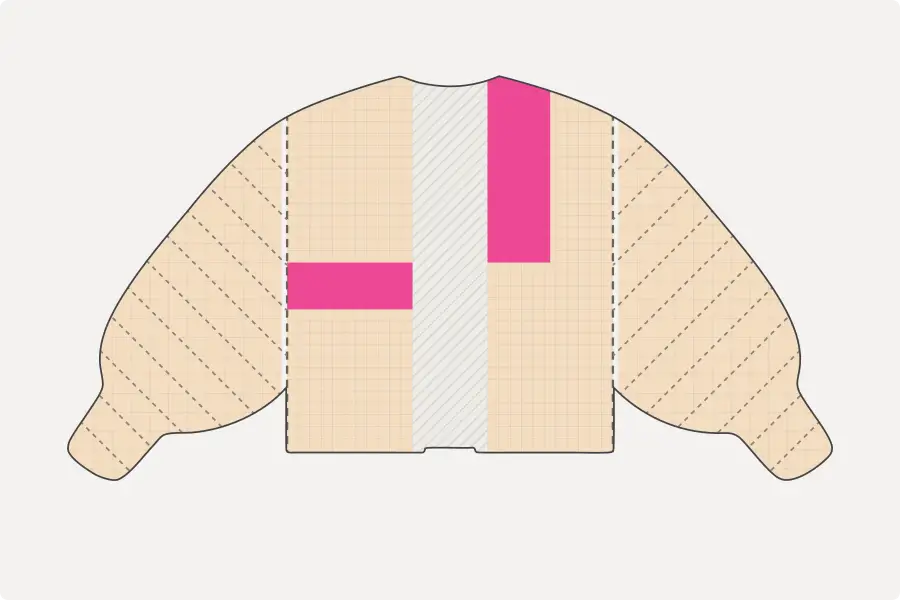
A band across the panel. Pick its height in rows, 2, 4 or 6, or a quarter of the panel, so a 2-row band is 2 rows at every size. On a front, drop it near a side edge and it stands upright instead, filling half the width. Tap ⟳ to turn a placed one between the two.
Triangle
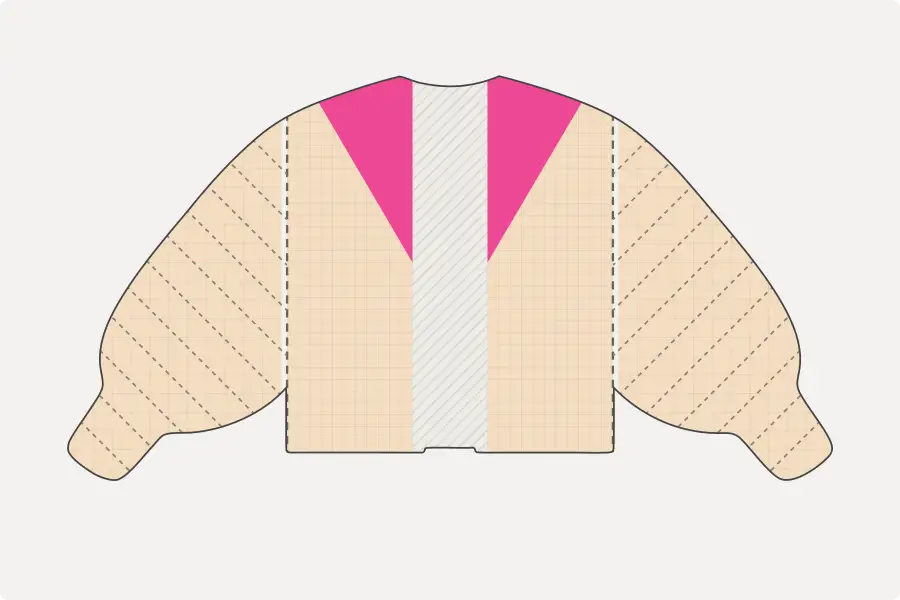
Half a square, cut corner to corner. Flip it to any of its four corners. One on each front, mirrored, meets at the opening as a chevron, stitch for stitch.
Diagonal band
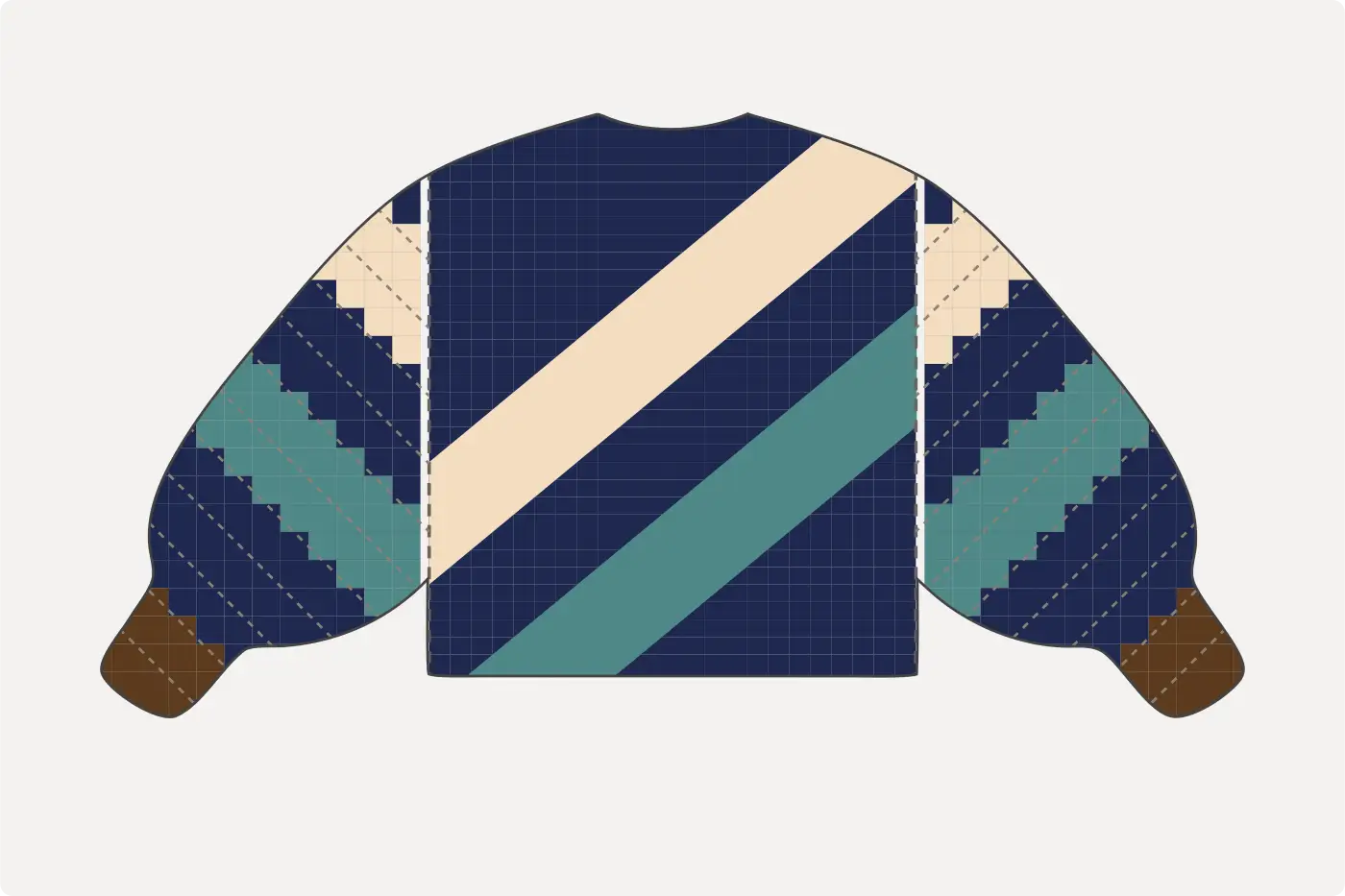
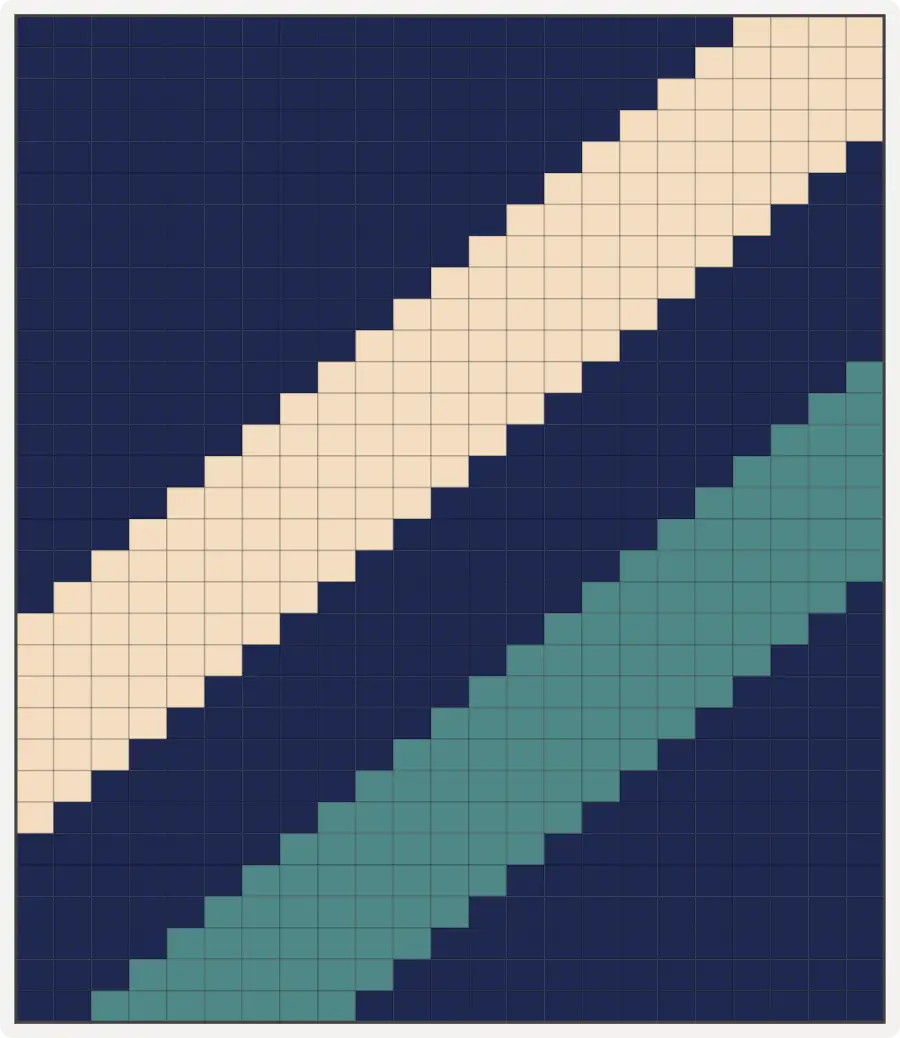
A stripe that runs across the whole panel at a slant. Choose how tall it is, 4, 6 or 8 rows, and how steeply it climbs: Gentle is a row every two stitches, Medium a row every stitch, Steep two rows a stitch. It snaps to four spots down a panel, and ↕ flips it from rising to falling. On the back, at the top or the bottom spot, it runs off the edge, exactly like a stripe on a jacket does.
Strip
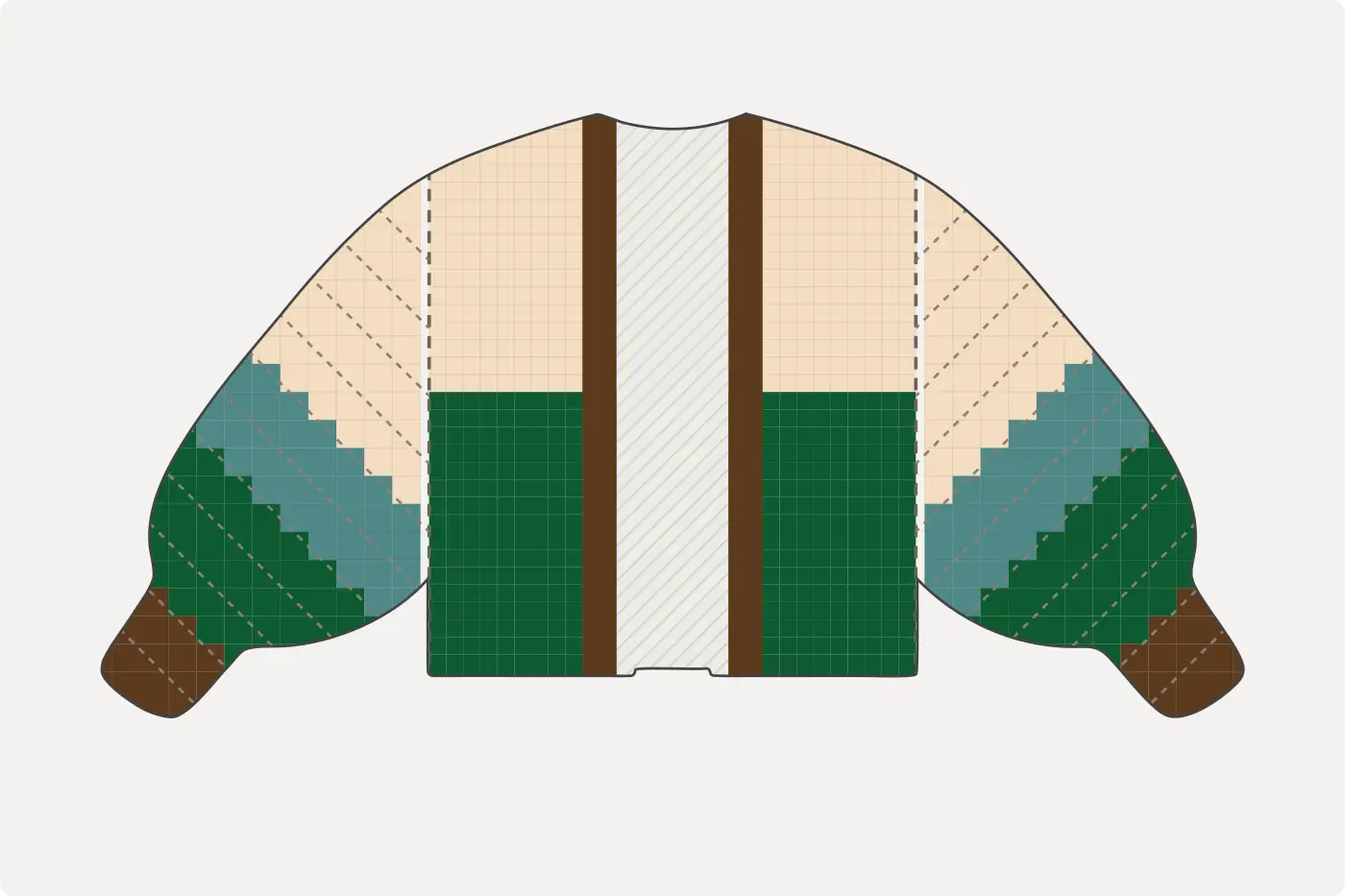
A column 1, 2 or 3 stitches wide, the full height of the panel, along the opening or along the armhole. A strip sits over the other shapes, so you can lay it across squares and bands without disturbing them. ↔ jumps it to the other edge.
Small square

Half the panel wide and a quarter of it tall, so it reads as a square on the finished cardigan, and it snaps to eight spots on each front, sixteen on the back. Good for a single block of colour in a corner.
Check
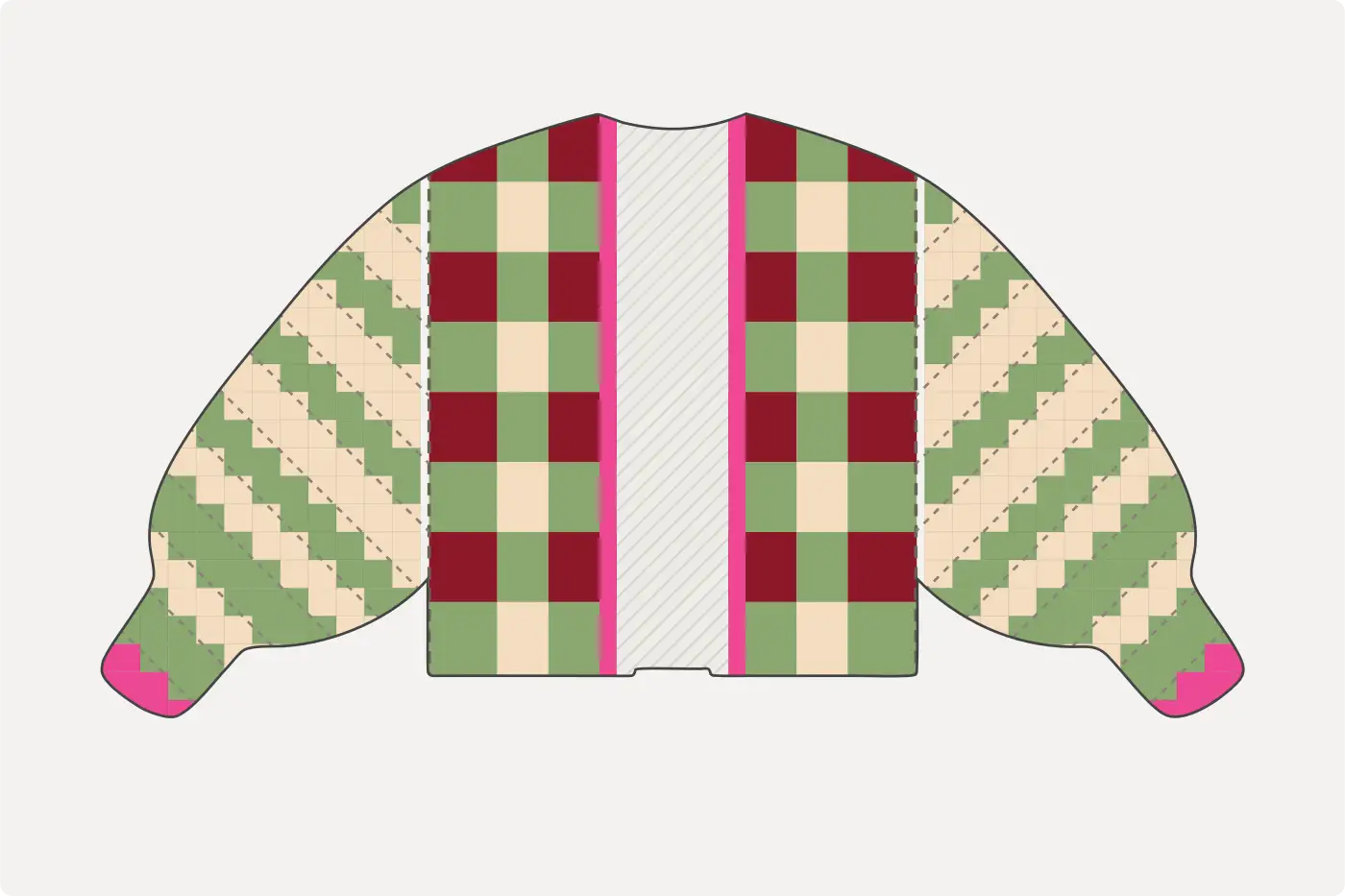
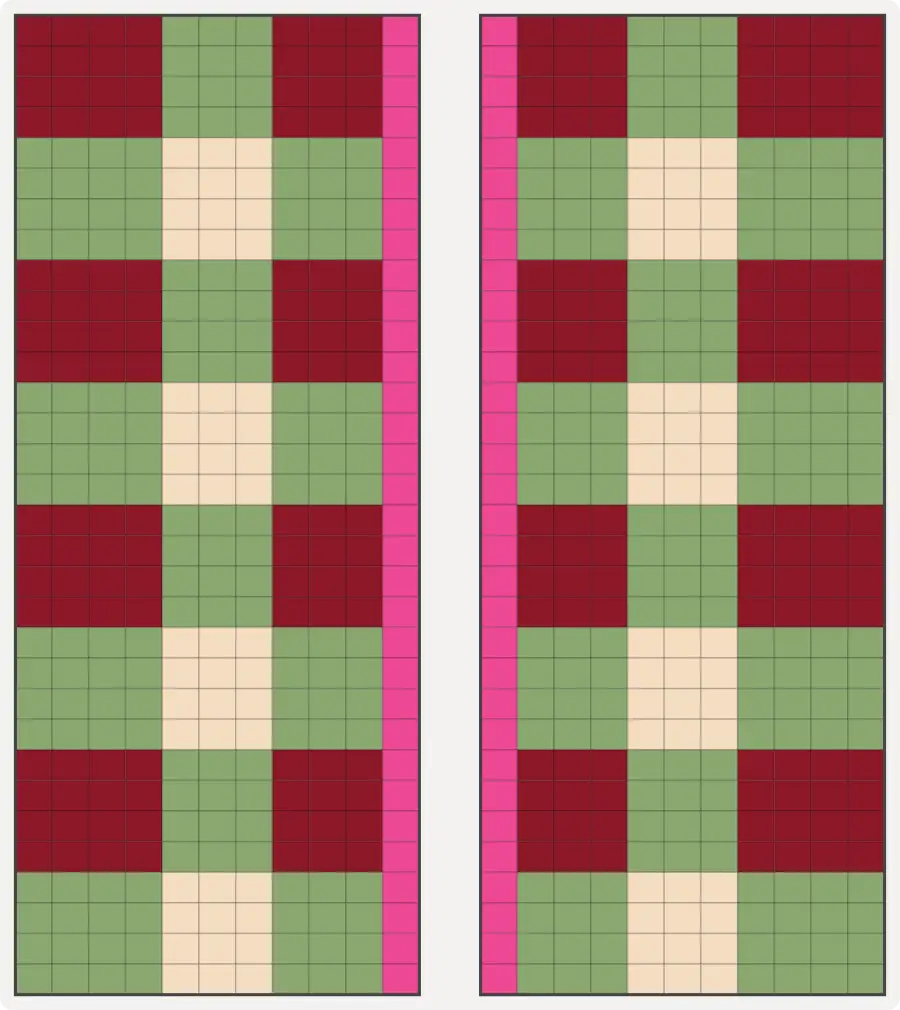
Fills half a panel with small checks, about four stitches by four rows each. Two colours give a checkerboard. Tap + gingham to add a third and the checks weave like gingham. Two fills, top and bottom, tile a whole panel on one grid.
Tall triangle

The whole front, or the whole back, split corner to corner. One step every three rows or so. Flip it to any corner.
Flipping, recolouring, removing
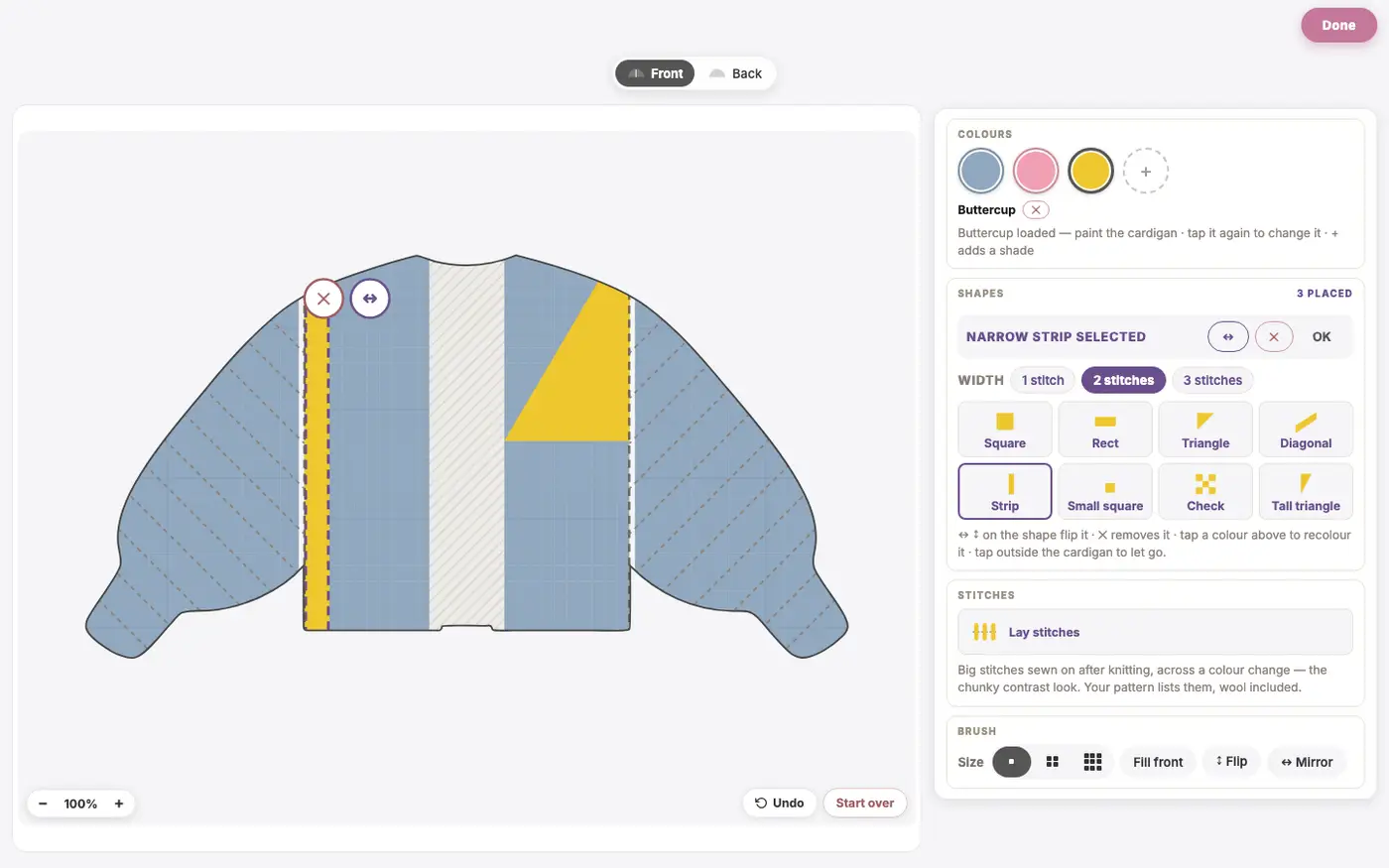
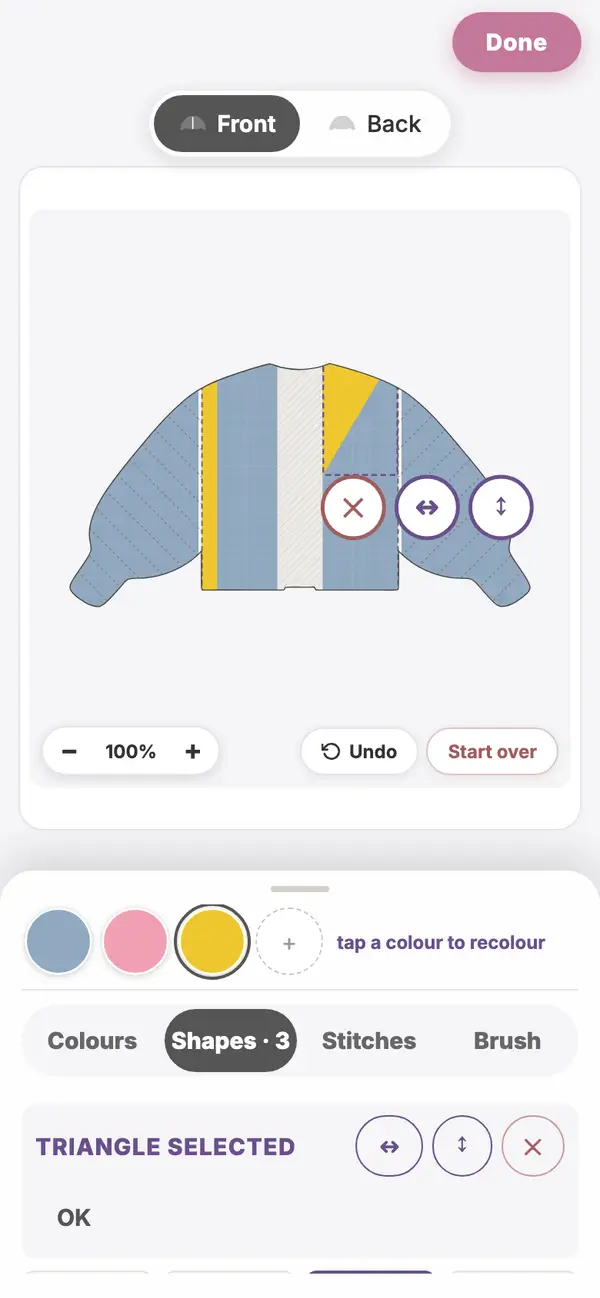
Tap a placed shape and a row of buttons appears on it: ✕ removes it, ↔ and ↕ flip it, and a Rect has ⟳ to turn it. The same buttons sit in the Shapes drawer while the shape is selected, next to its options: the band height, the slant, the strip width, or the check colours. With a shape selected, tap any colour in your palette and the shape takes it. Drop another shape on top and it replaces the first. Tap outside the cardigan to let go.
Accent stitches
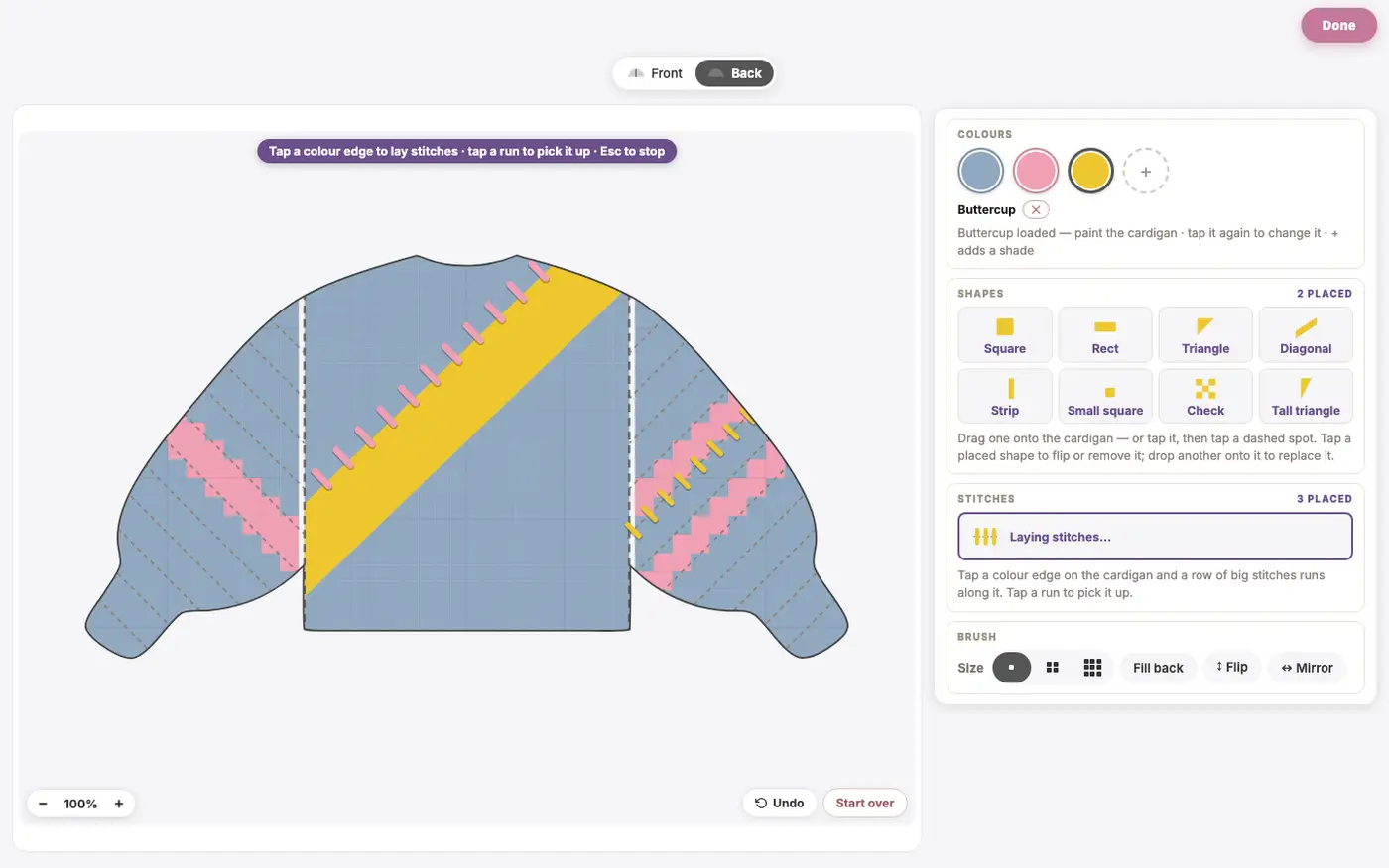
These are the big contrast stitches you see laid across a colour change on a chunky cardigan. They are not knitted. Once the cardigan is sewn up, you thread a length of wool on a large needle and lay one bar across the join, then carry the wool along the inside to the next bar. In the Studio, open the Stitches tab, tap Lay stitches, then tap a colour edge on the body or a band edge on a sleeve, and a row of bars runs along it in the colour you have loaded. Tap a row to pick it up, recolour it from the palette, or remove it with ✕.
Your pattern lists every row: where it sits, the two colours it runs between, how long each bar is and how far apart, and how much wool to allow. At our gauge a bar is about 4 cm across the join, one every 6 cm.
What your pattern does with all this
Shapes go straight into the stitch chart, so the chart, the pattern text and the PDF all carry them, and every size you unlock gets the same design re-fitted to its own stitch counts. Accent stitches sit outside the chart, in their own section after the finishing steps. Save the design and both come back when you reopen it.
Make it yours
The Design Studio is included in the membership, so members can design as many cardigans as they like. Fancy just the one? Create your design and buy that pattern on its own. Gigante turns it into the full PDF, every stitch charted, the wool for each colour, the accent stitches listed, and it's yours to download and keep forever.
If you want to see the shapes in action, open the Design Studio, pick Blank Canvas and a colour, and drag a shape onto the cardigan.